- +91-9774991814
- Usha Cinema Hall, Paoana Bazar, Imphal
- 9 AM - 6 PM

Professional Digital Press Operation & Production
Categories: CERTIFICATE COURSE
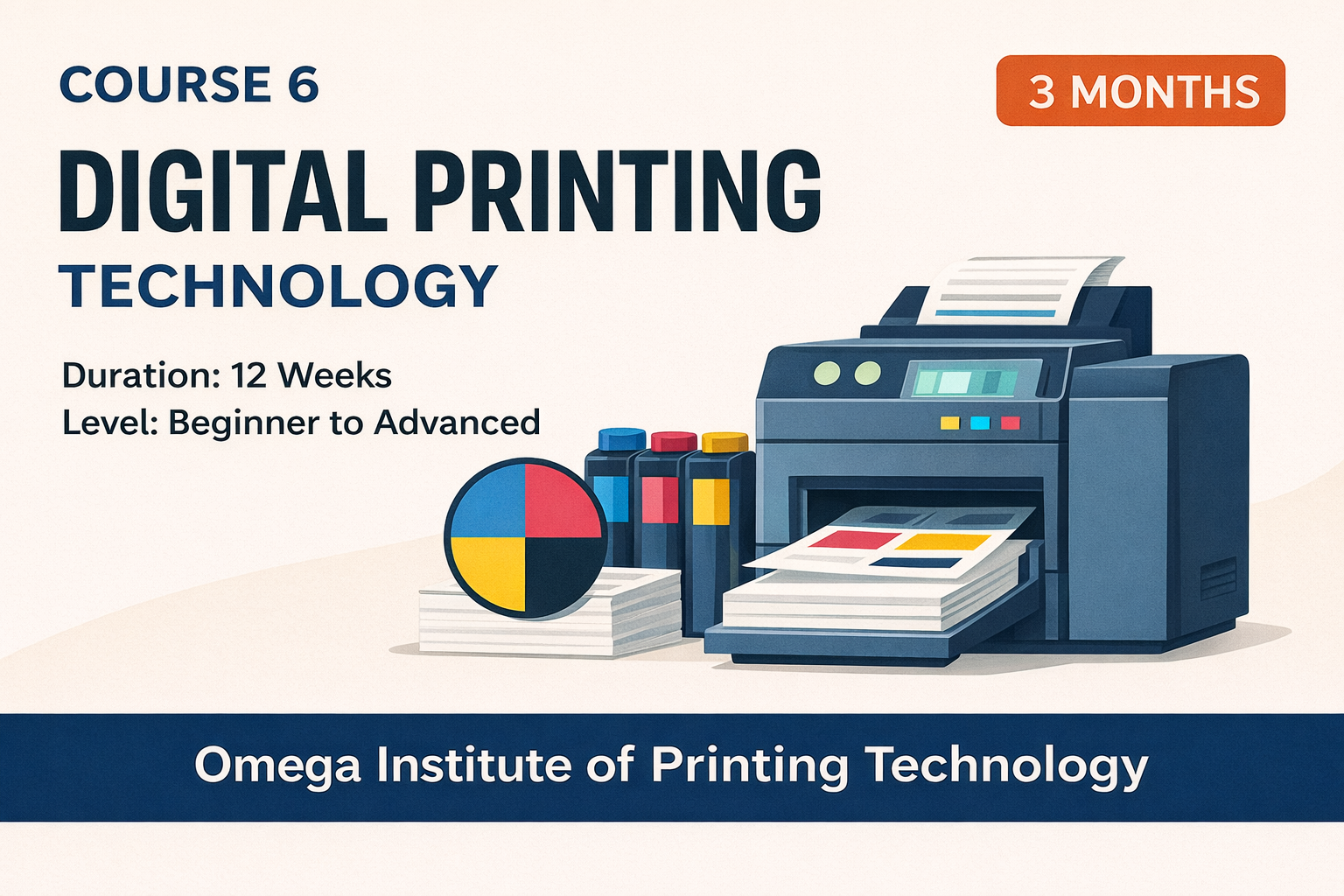
About Course
A hands-on, industry-oriented course that trains students to operate digital production printers, manage colour and media, prepare print-ready files, handle variable data printing, and produce real commercial print jobs from start to finish.
What Will You Learn?
- • Operate digital production printers confidently
- • Understand laser printing technology and machine components
- • Manage colour consistency and calibration
- • Handle coated, uncoated, thick, and special media
- • Prepare print-ready digital files (PDF/X standards)
- • Execute Variable Data Printing (VDP) jobs
- • Print banners, stickers, booklets, and commercial materials
- • Perform finishing operations such as cutting, folding, lamination, and binding
- • Troubleshoot common print and machine issues
- • Maintain digital presses through daily and periodic maintenance
Course Content
CHAPTER 1 – INTRODUCTION TO DIGITAL PRINTING
-
1.1 The Evolution of Printing Technology
-
1.2 What is Digital Printing?
-
1.3 Offset Printing vs Digital Printing: A Practical Comparison
-
1.4 How Digital Laser Printing Works
-
1.5 Types of Digital Printing Machines
-
1.6 Understanding Print Formats
-
1.7 Why Digital Printing Dominates Short-run Production
-
1.8 Understanding the Paper Path in a Digital Press
-
1.9 Common Applications of Digital Printing in Commercial Environments
-
1.10 Basic Practical Training for First-time Users
-
1.11 The Concept of Media Types in Digital Printing
-
1.12 The Role of RIP (Raster Image Processor)
-
1.13 Limitations of Digital Printing
-
1.14 Safety Guidelines for Digital Press Operators
-
1.15 The Digital Printing Workflow (Step-by-Step)
-
1.16 Future of Digital Printing
CHAPTER 2 – PRINTER COMPONENTS & WORKFLOW
-
2.0
-
2.1 Introduction to Printer Architecture
-
2.2 Feeding System
-
2.3 Paper Pickup & Roller System
-
2.4 Registration System
-
2.5 Laser Imaging Unit
-
2.6 Drum Unit (Photoconductor Unit)
-
2.7 Developer Unit (Toner System)
-
2.8 Transfer Belt Unit
-
2.9 Fusing Unit
-
2.10 Paper Exit & Finisher Unit
-
2.11 Sensors & Internal Electronics
-
2.12 RIP (Print Controller) Interaction With Machine
-
2.13 Correct Tray Settings: The Hidden Secret of Perfect Printing
-
2.14 Paper Grain Direction & Its Impact
-
2.15 Consumables: Life Cycle, Replacement & Best Practices
-
2.16 Internal Airflow & Temperature Control
-
2.17 Understanding the Full Printing Cycle (Step-by-Step)
-
2.18 How Components Affect Print Quality
-
2.19 Daily Workflow of a Digital Press Operator
-
2.20 Common Beginner Mistakes
-
2.21 Workflow Best Practices
-
2.22 Safety Essentials
CHAPTER 3 – PRINT CONTROLLER (RIP) BASICS
-
3.0
-
3.1 What Is a RIP (Raster Image Processor)?
-
3.2 Types of RIP Systems Used in Digital Printing
-
3.3 Why RIP Is Essential in Professional Print Production
-
3.4 Understanding the Core Functions of RIP
-
3.5 RIP Workflow: How Files Travel From Computer to Printer
-
3.6 Practical RIP Interface Overview (Step-by-Step Explanation)
-
3.7 PDF Standards for RIP: Why PDF/X-1a Is Recommended
-
3.8 RIP & Colour Profiles
-
3.9 Troubleshooting RIP Errors
-
3.10 RIP Imposition Techniques
-
3.11 RIP Colour Adjustments
-
3.12 RIP Job History
-
3.13 RIP for Variable Data Printing (VDP)
-
3.14 Operator Workflow for a Standard RIP Job
-
3.15 Best Practices for RIP Operators
-
3.16 Future of RIP Technology
CHAPTER 4 – MEDIA HANDLING & CALIBRATION
-
4.0
-
4.1 Introduction: Why Media Handling Matters
-
4.2 Types of Media Used in Digital Printing
-
4.3 GSM (Grams Per Square Metre) and Thickness
-
4.4 Paper Grain Direction
-
4.5 Moisture & Humidity Control
-
4.6 Correct Loading of Media
-
4.7 Media Profile System
-
4.8 Creating Custom Media Profiles
-
4.9 Understanding Fusing & Temperature Control
-
4.10 Density Control & Colour Calibration
-
4.11 Auto-Calibration (Auto Adjust)
-
4.12 Registration Calibration
-
4.13 Troubleshooting Media Problems
-
4.14 Long-Sheet (Banner) Printing Workflow
-
4.15 Envelope Printing Workflow
-
4.16 Sticker Printing Guidelines
-
4.17 Consistency Across 50–500 Sheets
-
4.18 Daily Media Handling Routine for Operators
-
4.19 Weekly Media Maintenance Tasks
-
4.20 Importance of Calibrating with Real-Job Media
-
4.21 How Improper Media Handling Affects Business
-
4.22 Summary of Key Points
CHAPTER 5 – DIGITAL PRESS COLOUR MANAGEMENT
-
5.0
-
5.1 What Is Colour Management in Digital Printing?
-
5.2 Understanding the CMYK Colour Model
-
5.3 Toner Behaviour and Colour Mixing
-
5.4 Key Colour Concepts Every Operator Must Understand
-
5.5 ICC Profiles and Why They Matter
-
5.6 Colour Drift and Why It Happens
-
5.7 Daily Colour Calibration (Auto Adjust)
-
5.8 Manual Colour Calibration (Advanced)
-
5.9 Grey Balance Calibration
-
5.10 Registration & Colour Alignment
-
5.11 Understanding RIP Colour Settings
-
5.12 Standard Colour Checking Procedure Per Job
-
5.13 Matching Digital Colour with Offset
-
5.14 Handling Brand Colours (Pantone Simulation)
-
5.15 Colour Issues and Troubleshooting
-
5.16 Importance of Colour Density Control
-
5.17 Maintaining Colour Faithfulness Across Jobs
-
5.18 Colour Management for Special Media
-
5.19 Consistency in Multi-Day Jobs
-
5.20 Practical Colour Management Examples
-
5.21 Colour Management & Business Impact
-
5.22 Summary of Key Points
CHAPTER 6 – FILE PREPARATION FOR DIGITAL PRINTING
-
6.0
-
6.1 Why File Preparation Is Crucial in Digital Printing
-
6.2 RGB vs CMYK: The Foundation of File Prep
-
6.3 Resolution Standards for Digital Printing
-
6.4 Bleed, Margin, and Safe Area
-
6.5 Fonts: Embedding and Converting to Outlines
-
6.6 Transparency, Effects, Shadows & Blend Modes
-
6.7 File Formats Used in Digital Printing
-
6.8 PDF Standards in Industry
-
6.9 Preparing Specific Jobs
-
6.10 Colour Settings for File Preparation
-
6.11 Handling Images & Gradients
-
6.12 Preparing Gang-Up Layouts for Cost Saving
-
6.13 Overprint Preview & Knockout Settings
-
6.14 Trapping (For Tight Registration Jobs)
-
6.15 File Preflight (Error Checking Before Printing)
-
6.16 Exporting Perfect PDF Files (Industry Method)
-
6.17 File Workflow for Production Shops (Omega Standard)
-
6.18 Common File Preparation Mistakes
-
6.19 Handling Client Files: Practical Reality
-
6.20 Preparing Files for VDP (Variable Data Printing)
-
6.21 Preparing Files for Booklets & Multi-Page Jobs
-
6.22 File Preparation for Finishing (Post-Press)
-
6.23 File Preparation for Stickers & Die-Cut Jobs
-
6.24 Preparing Files for Large Batches
-
6.25 Summary of Key File Preparation Concepts
CHAPTER 7 – VARIABLE DATA PRINTING (VDP)
-
7.0
-
7.1 What Is Variable Data Printing?
-
7.2 Why VDP Is Important in Digital Printshops
-
7.3 Types of Variable Data
-
7.4 Software Used for VDP
-
7.5 Preparing the Excel Sheet for VDP
-
7.6 Designing the VDP Template
-
7.7 Linking Excel to Design Software
-
7.8 VDP in KONICA MINOLTA RIPS
-
7.9 Printing VDP Jobs
-
7.10 VDP Workflow (Step-by-Step)
-
7.11 Important VDP File Rules
-
7.12 Image VDP for ID Cards
-
7.13 Barcode & QR Code VDP
-
7.14 Common VDP Jobs in Commercial Printshops
-
7.15 Troubleshooting Common VDP Problems
-
7.16 Best Practices for VDP Projects
-
7.17 Large-Scale VDP Production (1,000–50,000 prints)
-
7.18 VDP for Government & Institutional Projects
-
7.19 Barcode / QR VDP for Packaging
-
7.20 Automation of VDP (Advanced)
-
7.21 VDP and Finishing Considerations
-
7.22 VDP Quality Control Checklist
-
7.23 Final Checklist Before Running a VDP Job
-
7.24 Business Benefits of Offering VDP
-
7.25 Summary of Key Points
CHAPTER 8 – SMALL FORMAT COMMERCIAL JOB PRODUCTION
-
8.0
-
8.1 Introduction: Why Small Format Jobs Matter
-
8.2 Advantages of Digital Printing for Small Commercial Jobs
-
8.3 Small Commercial Jobs Supported by Digital Presses
-
8.4 General Workflow for Small Format Commercial Jobs
-
8.5 Visiting Card Production
-
8.6 Letterhead Production
-
8.7 A5/A4/A3 Flyers
-
8.8 Brochure Printing (Bi-fold & Tri-fold)
-
8.9 Multi-Page A4 Booklet Production
-
8.10 Certificate Printing
-
8.11 Menu Card Printing
-
8.12 Event Tickets & Coupons
-
8.13 Product / Service Sheets
-
8.14 Consistency Across 50–500 Sheets
-
8.15 Reprinting Jobs (Repeat Orders)
-
8.16 Troubleshooting Small Format Jobs
-
8.17 Finishing Requirements for Small Jobs
-
8.18 Handling Large Quantity Small-Format Jobs
-
8.19 Business Impact of Small Format Jobs
-
8.20 Summary of Key Concepts
CHAPTER 9 – BANNER & SPECIAL JOBS
-
9.0
-
9.1 Introduction: What Makes Special Jobs “Special”?
-
9.2 Long-Sheet Banner Printing (The Core Special Job)
-
9.3 Applications of Long-Sheet Printing
-
9.4 Long-Sheet Printing Workflow
-
9.5 Common Problems in Long-Sheet Printing and Their Solutions
-
9.6 Envelope Printing
-
9.7 Sticker Media Printing
-
9.8 Transparent Media & Special Substrates
-
9.9 Metallic & Textured Boards
-
9.10 Packaging Prototypes & Short-Run Boxes
-
9.11 Gatefold & Multi-Fold Jobs
-
9.12 Wedding Cards & Event Invitations
-
9.13 Finishing for Special Jobs
-
9.14 Colour Management for Special Media
-
9.15 RIP Settings for Special Jobs
-
9.16 Avoiding Machine Damage During Special Jobs
-
9.17 Safety Considerations
-
9.18 Operator Skill Required for Special Jobs
-
9.19 Business Impact of Special Jobs
-
9.20 Summary of Key Concepts
CHAPTER 10 – FINISHING & POST-PRESS OPERATIONS
-
10.0
-
10.1 Why Finishing Is Critical in Digital Printing
-
10.2 Major Finishing Processes in Digital Printing
-
10.3 Cutting: The Foundation of Post-Press
-
10.3.2 Cutting Techniques
-
10.3.3 Common Cutting Errors & Fixes
-
10.4 Creasing (Scoring)
-
10.5 Folding
-
10.6 Lamination: Protection & Premium Finish
-
10.7 Binding Techniques
-
10.8 Perforation
-
10.9 Numbering (Manual & Digital)
-
10.10 Corner Rounding
-
10.11 Trimming & Edge Cleanup
-
10.12 Finishing for Specific Products
-
10.13 Post-Press Quality Control (QC)
-
10.14 Tools Required for Post-Press Department
-
10.15 Safety Guidelines for Post-Press
-
10.16 Common Problems in Finishing & Their Solutions
-
10.17 Final Packaging & Delivery
-
10.18 Importance of Finishing in Business Growth
-
10.19 Summary of Key Concepts
CHAPTER 11 – MAINTENANCE & TROUBLESHOOTING FOR DIGITAL PRESSES
-
11.0
-
11.1 Why Maintenance Is Critical in Digital Printing
-
11.2 Types of Maintenance
-
11.3 Understanding the Key Components of a Digital Press
-
11.4 Daily Maintenance Routine
-
11.5 Weekly Maintenance
-
11.6 Monthly Maintenance
-
11.7 Consumable Replacement Schedule
-
11.8 Common Problems & Their Troubleshooting
-
11.9 Troubleshooting for Special Media
-
11.10 RIP-Level Troubleshooting
-
11.11 Preventing Major Breakdowns
-
11.12 Machine Environment Requirements
-
11.13 Handling Consumables Properly
-
11.14 Cleaning Tools & Materials Required
-
11.15 Error Codes & What They Mean (General)
-
11.16 Real-World Maintenance Workflow (Omega Standard)
-
11.17 Reducing Printing Costs Through Maintenance
-
11.18 When to Call a Service Engineer
-
11.19 Summary of Key Concepts
CHAPTER 12 – FINAL EXAM, PORTFOLIO & PROFESSIONAL READINESS
-
12.0
-
12.1 Purpose of the Final Assessment
-
12.2 Structure of Final Evaluation
-
12.3 Practical Exam: Detailed Breakdown (70%)
-
12.4 Viva / Oral Examination (30%)
-
12.5 Portfolio Requirements
-
12.6 Real-World Job Simulation
-
12.7 Professional Behaviour & Workflow Discipline
-
12.8 Operator Ethics & Professionalism
-
12.9 Final Job Book Submission
-
12.10 The Final Project: End-to-End Print Production
-
12.11 Grading System
-
12.12 Job Placement Readiness
-
12.13 Additional Skills Recommended
-
12.14 Final Words to Students
-
12.15 Summary of Key Concepts
BONUS CHAPTER – PACDORA & CANVA FOR DIGITAL PRINTING WORKFLOWS
-
INTRO
-
SECTION 1: PACDORA FOR PACKAGING & MOCKUPS
-
SECTION 2: CANVA FOR DIGITAL PRINTING
-
SECTION 3: COMBINING PACDORA + CANVA + DIGITAL PRINTERS
-
SECTION 4: PROFESSIONAL TIPS FOR PACDORA & CANVA USERS
-
SECTION 5: HOW THESE TOOLS IMPROVE BUSINESS
-
SECTION 6: Summary of Key Points
Student Ratings & Reviews

No Review Yet